When I first started building websites, the allure of a free WordPress plan was hard to resist. It seemed like the perfect solution for testing ideas without any financial commitment. However, as I delved deeper, I realized that while free plans offer a great starting point, they come with certain limitations that can impact your online presence.
In this article, I’ll share what you need to know about:
- The key features included in free WordPress plans
- Common restrictions and how they might affect your site
- When it’s time to consider upgrading to a paid plan
By understanding these aspects, you can make an informed decision that best suits your web design and business needs.

Is There Really a Free WordPress Plan and What Does It Offer
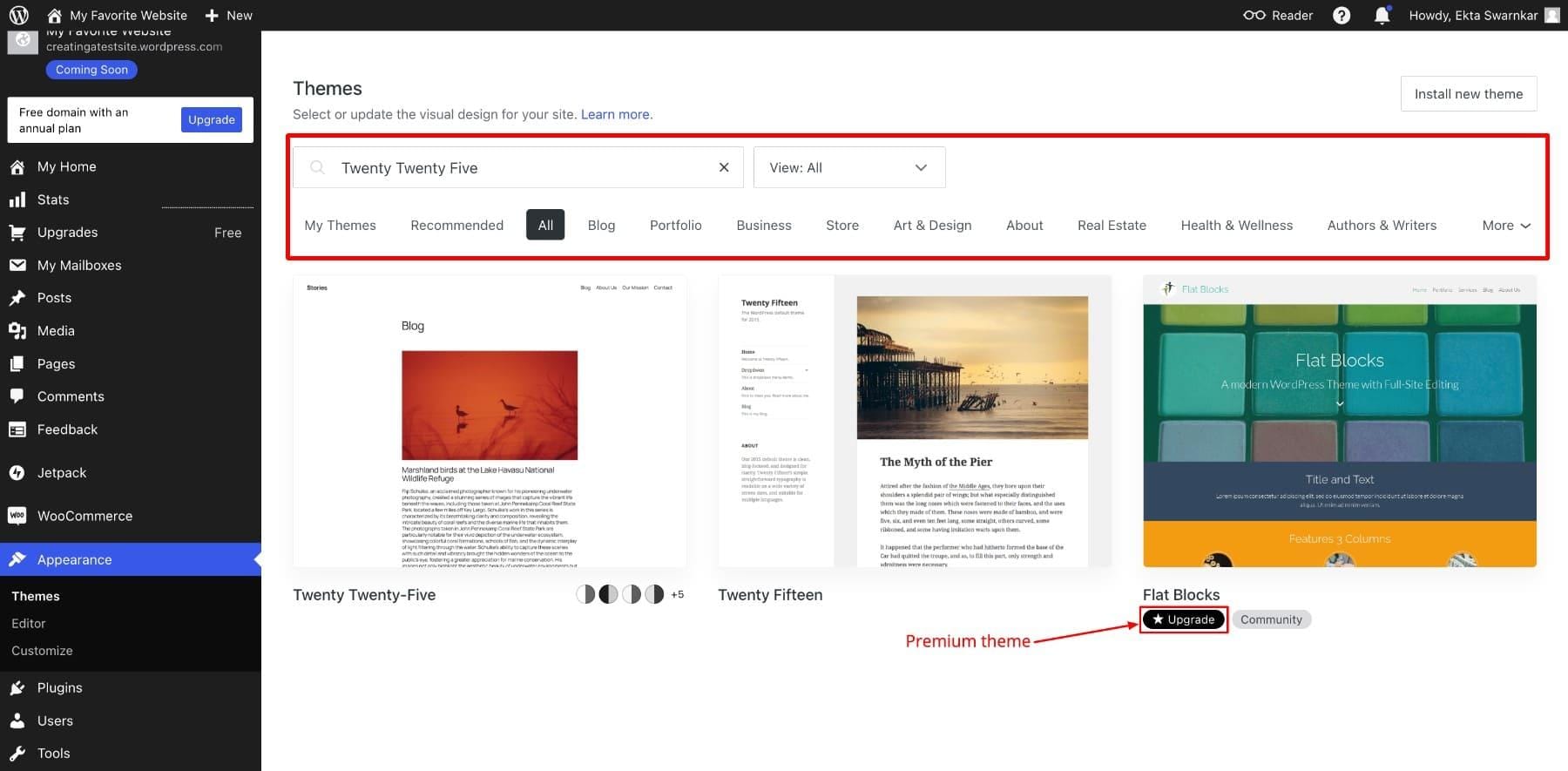
Yes, WordPress does offer a free plan that can be a great starting point for beginners.When I first explored it, I found that the free tier provides essential features such as a WordPress.com subdomain (e.g., yoursite.wordpress.com), which is perfect for testing ideas without any financial commitment.Additionally, you get access to a variety of basic themes, allowing you to customize the appearance of your site partially. For those just dipping their toes into website creation, these features are more than sufficient to establish an online presence.
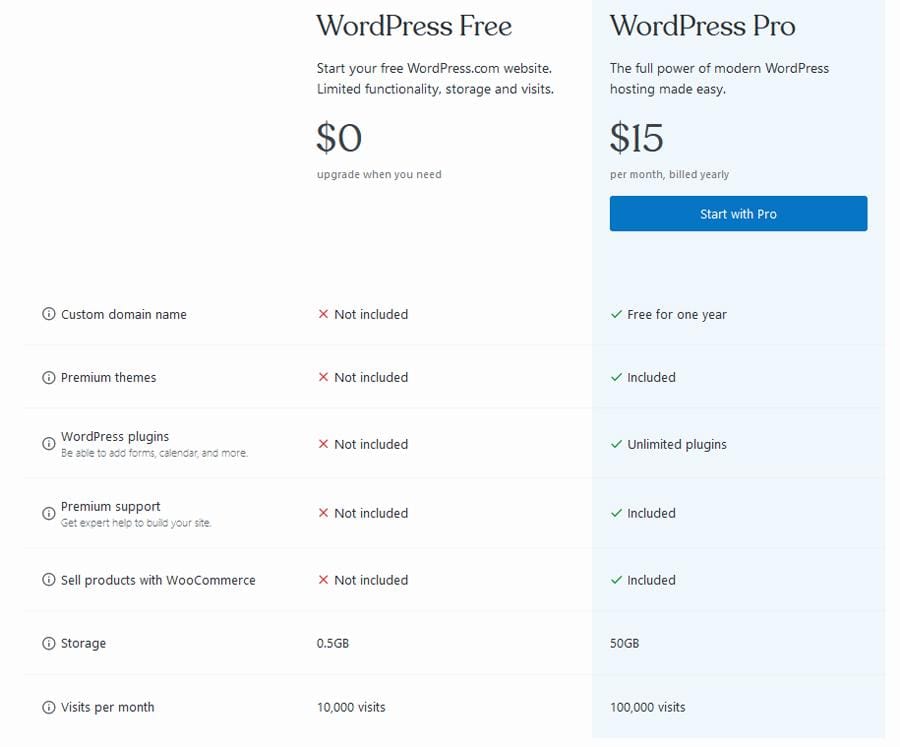
however,the free plan does come with some limitations that are important to consider. As an example, you’re limited to 1GB of storage, which might be restrictive if you plan to upload high-resolution images or extensive media. Moreover, your site will display WordPress.com ads and branding,which can be distracting and may not present the most professional image for your business. Customization options are also somewhat restricted, as you won’t have access to premium themes or the ability to install third-party plugins that can extend your site’s functionality.
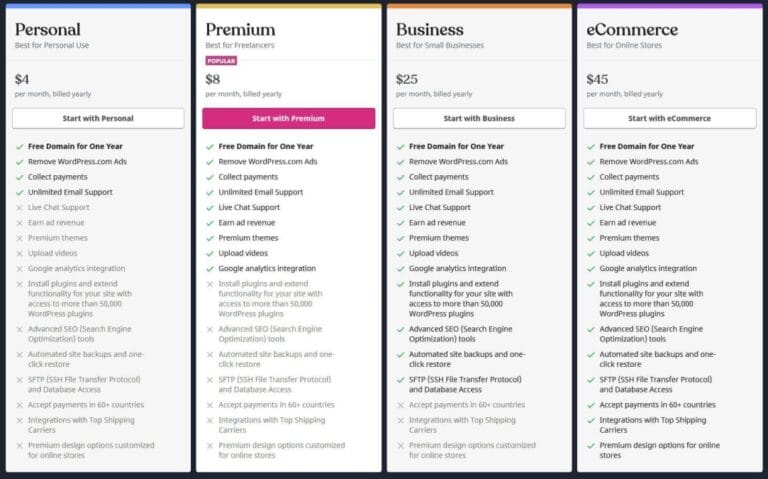
To give you a clearer picture, here’s a rapid overview of what the free plan offers compared to the paid options:
| Feature | Free Plan | Paid Plans |
|---|---|---|
| Domain | yourname.wordpress.com | Custom domain |
| Storage | 1GB | Up to 200GB |
| Themes | Basic themes | Premium themes |
| Ads | Displayed by WordPress | Ad-free |
| Plugins | Not available | Available |
In my experience, the free wordpress plan is ideal for personal blogs, portfolios, or small projects where advanced features and customizations aren’t crucial. It allows you to get a feel for the platform and understand your needs before deciding to invest in a paid plan. Though, if you’re aiming to build a professional business website with extensive customization, higher storage, and no ads, upgrading to a paid plan would be a worthwhile investment. Balancing your immediate needs with future growth is key when deciding whether the free plan is right for you.

Understanding the Limitations of the Free WordPress Plan
support and advanced features are othre areas where the free plan falls short. Access to premium plugins, advanced SEO tools, and dedicated customer support is restricted, limiting your ability to optimize and scale your website effectively. Here are some key limitations to consider:
- Restricted access to premium themes and plugins
- limited storage space and bandwidth
- Inability to use a custom domain name
- Presence of WordPress branding and ads
- Lack of priority customer support

How to Choose Between Free and Paid WordPress plans
| Feature | Free Plan | Paid Plan |
|---|---|---|
| Storage Space | 3 GB | Up to 200 GB |
| Custom Domains | Not Available | Included |
| Premium Themes | Limited Selection | Full Access |
| Support | community Support | 24/7 Expert Support |
Ultimately, the choice hinges on your specific needs and future plans.If you anticipate needing more control, advanced features, and scalability, a paid plan is a worthwhile investment. Conversely, if you’re just experimenting or running a small personal site, the free plan could adequately serve your purposes without any initial costs.

Essential Tips for Getting the Most Out of a Free WordPress Website
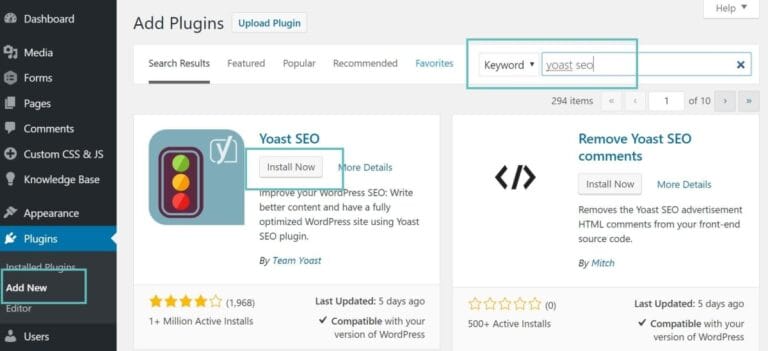
- Yoast SEO: Helps optimize your content for search engines.
- Akismet: Protects your site from spam comments.
- WP super Cache: Enhances site speed by caching content.
Optimize Content and Media: High-quality content is crucial, but so is how it’s presented. I prioritize optimizing images and other media to ensure quick load times. Utilizing tools like image compression can significantly improve site performance. Additionally, structuring your content with clear headings and concise paragraphs makes it more readable and engaging for visitors.
Engage with the WordPress Community: One of the greatest advantages of using WordPress is the supportive community. I actively participate in forums and attend local WordPress meetups to stay updated on best practices and new features. Engaging with other users not only provides valuable insights but also opens up opportunities for collaboration and troubleshooting when you encounter challenges.
Exploring Alternatives to a Free WordPress Plan for Your Business
While the free wordpress plan offers a great starting point, I’ve found that businesses often outgrow its limitations quickly. Features like limited storage, restricted customization options, and the absence of advanced SEO tools can hinder growth. Investing in a more robust solution early on can save time and resources in the long run, ensuring your website scales seamlessly with your business needs.
One choice I frequently recommend is moving to a self-hosted WordPress setup. This approach provides greater flexibility, allowing for extensive plugin use and custom themes tailored to your brand. Additionally, self-hosting eliminates the WordPress.com ads and branding, presenting a more professional image. Here are some benefits I’ve observed:
- Full Control: Customize every aspect of your site without restrictions.
- Enhanced SEO: Utilize advanced SEO plugins to improve your search rankings.
- Monetization Freedom: Implement diverse monetization strategies without limitations.
If WordPress doesn’t seem like the right fit,there are other platforms worth considering. Squarespace and Wix, for example, offer user-kind interfaces with a variety of templates and built-in features that might align better with your specific requirements. In my experience, these platforms can reduce the technical overhead, allowing you to focus more on your content and business strategy.
To help you make an informed decision, here’s a comparison table highlighting key aspects of different options:
| Platform | Cost | Customization | SEO Tools |
|---|---|---|---|
| Self-Hosted WordPress | Varies | High | Advanced Plugins Available |
| Squarespace | Fixed Plans | Moderate | Built-In Features |
| Wix | Flexible Pricing | High | Basic SEO Tools |
| Shopify | Subscription-Based | Extensive for E-commerce | SEO Built for Stores |
Q&A
Is there a free WordPress plan available?
I understand the importance of starting without a financial commitment, and yes, WordPress.com offers a free plan. This plan provides basic features that are perfect for personal blogs or experimenting with the platform before deciding to invest in more advanced options.
What features are included in the free WordPress plan?
The free plan includes a WordPress.com subdomain, access to a selection of free themes, basic customization options, and essential Jetpack features.While it covers the basics needed to get started,premium features like advanced design tools and increased storage require an upgrade.
Are there any limitations to consider with the free WordPress plan?
Yes, the free plan comes with certain restrictions. These include limited storage space, WordPress.com ads displayed on your site, and the inability to use custom plugins or themes. Additionally, your site will have a WordPress.com subdomain rather than a custom domain, which can impact branding.
Can I upgrade from a free WordPress plan to a premium one later?
Absolutely. One of the benefits of starting with a free plan is the flexibility to upgrade as your needs grow. Upgrading allows you to access more features, such as custom domains, advanced design tools, additional storage, and the removal of WordPress.com ads, enhancing the professionalism of your website.
Is the free WordPress plan suitable for a professional business website?
While the free plan is a great way to get started,it may not fully meet the needs of a professional business website. For a more polished and feature-rich site, investing in a premium plan is advisable. Premium plans offer better customization, branding options, and tools that support business growth and customer engagement.
How does the free WordPress plan compare to other website builders?
compared to other website builders,WordPress.com’s free plan offers a robust platform with a strong community and extensive documentation. Though, other builders might offer more intuitive drag-and-drop interfaces or different free features. It ultimately depends on your specific needs and preferences, but WordPress remains a versatile choice for many users.
In Conclusion
After exploring the options available, I believe that a free WordPress plan can be a great starting point for those venturing into web design or launching an online business. While it comes with limitations, it provides valuable insights into how WordPress operates and helps you determine if upgrading to a premium plan aligns with your goals. if you’re committed to building a professional and scalable website, investing in enhanced features might be worthwhile in the long run. Feel free to reach out to us at Novatixel for personalized advice tailored to your unique needs.